Apr 13, 2026
How to Prioritize Support Tickets When Everything Feels Urgent
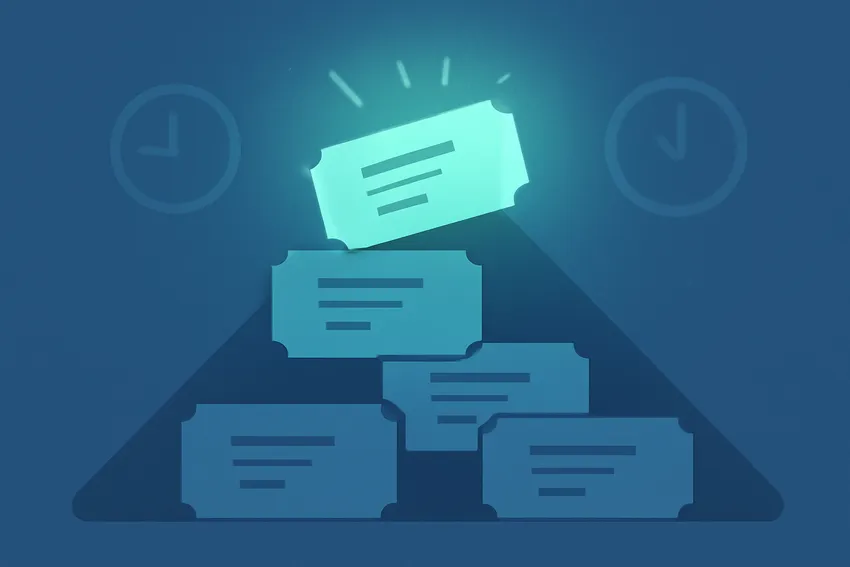
Your queue has 200 tickets. Forty of them are marked urgent. Three customers are threatening to cancel. A bug report just came in that might be affecting everyone. And your best agent is trying to figure out which fire to put out first.
This is the prioritization problem. It’s not a staffing problem. It’s not a tooling problem. It’s a decision-making problem, and most support teams solve it the same way: whoever yells loudest gets helped first. That’s not a system. That’s just chaos with a queue.
Why “First In, First Out” Breaks Down Fast
FIFO feels fair. It’s simple. It requires no judgment calls. But it falls apart the moment your ticket volume grows past what one or two people can handle in an hour.
A billing failure that’s blocking a $50K account gets buried under 30 password reset requests. A bug that’s silently corrupting user data sits in a queue behind a handful of feature requests. Meanwhile, the customer who submitted 10 minutes after opening their account gets a response before the customer who’s been with you for three years and just hit a critical issue.
FIFO optimizes for queue length, not customer impact. Those are very different things.
The teams that get this right aren’t necessarily faster or better staffed. They just have a clear, consistent answer to one question: what makes a ticket more important than another? And that answer isn’t left to each agent to figure out individually.
Build a Priority Matrix Before You Touch Your Tooling
Before you configure anything in your helpdesk, you need a framework on paper. Not a spreadsheet. A shared mental model that every agent understands without having to look it up.
The simplest version has two axes: urgency and impact.
Urgency is time-sensitivity. Is the customer blocked right now? Will this get worse if it waits an hour? Is there a hard deadline involved?
Impact is scope. How many customers does this affect? What’s the revenue at risk? Is this a free trial user or someone on an enterprise plan?
Put them together and you get four buckets:
- High urgency, high impact: Respond immediately. These are P1s. System outages, billing failures at scale, security issues, anything affecting multiple paying customers at once.
- High urgency, low impact: Fast but not first. A single user locked out of their account. Frustrating for them, but it’s not a business-critical fire.
- Low urgency, high impact: Schedule and track carefully. A feature gap that’s affecting enterprise renewal conversations. It can wait a few hours, but it shouldn’t get lost.
- Low urgency, low impact: Handle in order. General questions, cosmetic bugs, nice-to-have requests.
The matrix sounds obvious when you write it down. But the reason most teams don’t use one is that nobody ever actually wrote it down and agreed on it. Define the criteria together. Be specific about what “high impact” means for your business. Then document it somewhere every agent can reference.
Define What Signals Actually Map to Priority
The matrix is the framework. But your agents need concrete signals to map incoming tickets to it, especially when they’re processing 30 tickets in a morning.
Here are the signals worth building into your system:
Customer tier or plan level. Enterprise customers usually have higher stakes and contractual SLAs. That’s not elitism, it’s business reality. Make it explicit rather than letting it operate as an unspoken assumption.
Ticket channel. A phone call or live chat implies immediate expectation. An email sent at 2am has a little more slack. This doesn’t mean deprioritizing any channel, but it does affect how fast the clock starts ticking.
Keywords and phrases. Words like “can’t log in,” “billing error,” “data loss,” “account suspended,” or “deadline today” are high-urgency signals. Your tooling can catch these automatically. You don’t want agents having to hunt for them.
Account health signals. If you have CRM data connected to your helpdesk, a ticket from a customer who’s been showing low engagement or recent NPS detractor scores deserves a closer look. That’s a churn signal wrapped in a support ticket.
Recency and wait time. A ticket that’s been sitting for 6 hours, regardless of original priority, needs to move up. Waiting is its own urgency multiplier.
The goal is to make priority visible before an agent even opens a ticket. When your inbox shows priority tags, customer tier, and wait time at a glance, your team makes better decisions faster and with less cognitive overhead.
How Automation Can Do the Sorting Work
Manually triaging every ticket is what kills your team at scale. The agents who are good at prioritization burn mental energy doing it. The ones who aren’t good at it make inconsistent calls. Neither outcome is great.
The better approach is to automate the rule-based stuff so your agents are only making judgment calls on the genuinely ambiguous tickets.
Auto-tagging by keyword means that any ticket containing “billing error” or “can’t access my account” gets tagged P1 before it even hits the queue. Your agents don’t have to read it carefully to know it needs attention.
Routing by customer tier means that enterprise tickets go directly to your most experienced agents, not into the general pool. This isn’t just about speed, it’s about matching the complexity of the issue to the person best equipped to handle it.
SLA timers that trigger escalation mean that a ticket doesn’t quietly age in a queue without anyone noticing. If a P1 hasn’t been touched in 15 minutes, someone should know about it. That’s an automated alert, not a manager manually checking the queue.
Event-triggered workflows can catch things like a customer sending their third ticket in 48 hours (a likely frustration signal) and bump that conversation’s priority automatically.
Setting up these workflows is worth the upfront investment. A few hours of configuration can save your team from making hundreds of manual triage decisions every week.
The SLA Layer: Putting Time Boxes Around Priority
Priority without deadlines is just a sorted list. SLAs turn priority into a commitment, both internal and sometimes external.
Most teams have some version of this already. P1 gets a first response within 30 minutes. P2 within 2 hours. P3 within 8. But the implementation is often broken in a few specific ways.
SLAs that don’t account for business hours are the most common problem. A ticket submitted at 11pm Friday shouldn’t be measured against a 2-hour SLA that runs through the weekend. But if your SLA timer doesn’t pause outside business hours, that’s exactly what happens, and you’ll have a queue full of “breached” SLAs on Monday morning that don’t actually reflect a failure.
SLAs without escalation paths are just timers. If a ticket breaches SLA and nothing happens automatically, the SLA is cosmetic. It needs to trigger something: a notification, a reassignment, a flag for a manager.
SLAs that your customers never see create mismatched expectations. If you’re tracking internal SLAs but customers have no visibility into expected response times, they’ll follow up repeatedly and create more queue volume. Publishing response time expectations, even just in an auto-reply, sets a baseline that reduces the “is anyone there?” follow-ups.
For a more detailed breakdown of how to build SLAs that actually work, the SLA management guide is worth reading through before you configure anything.
Prioritization Across Shifts and Handoffs
A good prioritization system works for a single agent in the middle of a shift. A great one survives handoffs.
This is where a lot of teams fall apart. The morning shift has a clear sense of what’s hot. Then someone goes to lunch, a new shift starts, or you’re handing off at end of day, and all that context lives in someone’s head. The incoming agent has to reconstruct it from scratch.
A few things fix this:
Pinned priority context on tickets. If an agent flags something as “escalating, customer mentioned cancellation,” that note should be immediately visible to whoever touches the ticket next. Not buried in thread history.
A shift handoff view. This is a real-time snapshot of open P1s, tickets close to SLA breach, and any accounts that are in a sensitive state. It’s not a report you generate. It’s a live view your outgoing agent walks through with whoever’s coming on.
Clear ownership rules. “Whoever picks it up” is not a handoff strategy. When a high-priority ticket is in motion and the agent handling it goes offline, the next owner needs to be assigned automatically, not left to whoever notices it.
The support handoff problem is worth thinking about carefully here, because a broken handoff process will undo even the best prioritization system you build.
What to Do When Priorities Genuinely Conflict
Sometimes two P1s land at the same time and you only have one agent available. Or a VIP customer submits a low-urgency ticket and someone on the team wants to move it up because of the account size.
You need a tiebreaker, and it should be defined in advance.
A few principles that actually work:
Business impact over perceived urgency. A customer who says “this is urgent” in an email isn’t automatically P1. Your criteria define priority, not customer emotion. (That said, communicate fast when someone says it’s urgent. Even a quick “we’ve got this and here’s where it stands” response buys you time.)
Revenue at risk over ticket age. If a renewal conversation is hanging on an unresolved bug and a three-year customer is about to churn, that ticket should jump the queue. This is where CRM integration earns its keep.
Escalation paths, not escalation emotions. When two tickets are genuinely equal priority and you need a human call on it, that decision should go to a defined escalation owner, not whoever is loudest in Slack. Build the escalation path before you need it. The escalation system guide is a good starting point for this.
Signs Your Prioritization System Is Working
You built the matrix. You set up the automations. You defined the SLAs. How do you know if it’s actually working?
A few indicators worth tracking:
P1 first response time is consistent. Not “usually good,” but consistently within your defined window. If it varies wildly week to week, the system is inconsistent or your agents are improvising.
SLA breach rates are trending down. If you’re breaching SLAs regularly, either your response time targets are unrealistic or your routing isn’t working. Both are fixable, but you need the data to know which.
Agents are spending less time triaging. Track how much time your team spends deciding what to work on vs. actually working on tickets. If triage is still eating hours every week, your automation rules need work.
Customer follow-up rate on P1s is low. When customers stop sending “just following up” messages, it means they trust that something is happening. That’s a signal that your prioritization and communication are both working.
No one is surprised by what’s in the queue. When a manager or senior agent looks at the queue at any given moment, the order should make sense. If people regularly go “why is this at the top?” your criteria aren’t clear enough or aren’t being applied consistently.
Conclusion
Prioritization isn’t glamorous work. It doesn’t show up in product demos and it rarely gets credit when it goes well. But when it goes wrong, it shows up everywhere: missed SLAs, churned accounts, burned-out agents, and customers who feel like they’re shouting into a void.
The fix isn’t more people or faster agents. It’s a clear, shared system that your whole team applies consistently.
Three things to take away from this:
- Define your priority criteria explicitly, in writing, before you touch your tooling. Matrix first, automation second.
- Automate the rule-based triage so your agents are making judgment calls only on genuinely ambiguous tickets, not on every single one.
- Build your SLAs and handoff processes around priority, not just ticket age. A system that survives shift changes and queue spikes is a system that actually works.
If you’re still fighting your tooling to make this work, it might be worth looking at what a purpose-built platform can handle automatically. HelpLane’s ticket management features are built around this kind of prioritization logic. And if you want to see how the automation layer fits into it, the automation overview is a good place to start.
Related Blogs
See All Articles
How to Handle High Ticket Volume Without Hiring More Agents
Your ticket queue is growing faster than your team can handle it. Response times are creeping up. Agents are copy-pasting the same answers f

How to Manage Support Emails in Shopify (Without Losing Your Mind)
You opened a Shopify store. Orders started coming in. Then the emails started coming in. First a trickle. Then a flood. And somewhere betwee

Zendesk vs Gorgias vs HelpLane: Which Helpdesk Is Actually Right for You?
You're managing support across email, chat, and social. Tickets are piling up. Your team is copy-pasting between tabs. Someone suggested swi
Start Delivering Great Customer Experiences Today
Set up HelpLane in minutes and start managing all your customer conversations in one place. 14-day free trial—no credit card required.