Mar 02, 2026
How to Reduce Support Ticket Volume Without Sacrificing Customer Experience
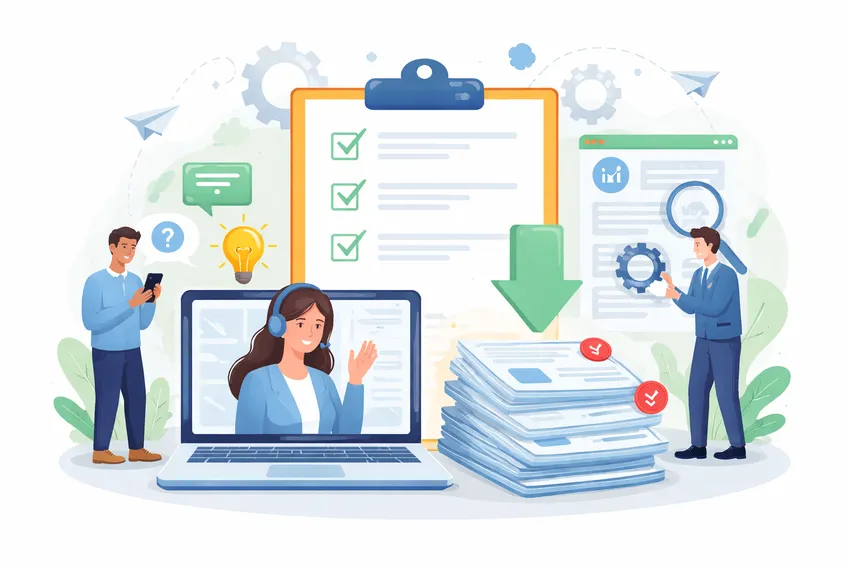
Your team is good at what they do. But they spend half their day answering the same twelve questions. “Where’s my order?” “How do I reset my password?” “Can I change my plan?” Over and over, across email, chat, WhatsApp, and whatever else customers decide to use that week.
That’s not a staffing problem. It’s a systems problem. And hiring another agent won’t fix it. You’ll just have more people answering the same twelve questions.
Why Ticket Volume Keeps Climbing Even When Nothing Goes Wrong
Most teams assume high ticket volume means something is broken. The product is confusing. The checkout flow has a bug. Customer expectations are too high.
Sometimes that’s true. But often, volume grows because you’ve added channels without adding structure. You started offering chat because customers asked for it. Then someone set up a Facebook page and customers started messaging there too. Now you’ve got email, chat, social DMs, and maybe SMS, all going to different places, with no clear ownership.
The result is tickets that never needed to exist in the first place. Customers reach out because they can’t find answers on their own. They message on three channels because they’re not sure which one you actually monitor. Your team handles the same question four times for the same customer because there’s no shared history.
This is the pattern worth fixing before anything else.
Start With a Ticket Audit
Before you can reduce volume, you need to know what you’re actually dealing with. Pull your last 30 days of tickets and categorize them manually if you have to.
You’re looking for a few things:
- Repeat question rate: What percentage of tickets are asking the same things? For most teams, 40-60% of tickets fall into fewer than 10 categories.
- Channel overlap: Are the same customers contacting you multiple times across different channels for the same issue?
- Deflectable vs. non-deflectable: Which tickets genuinely needed a human? Which ones could have been answered by a good help article or an automated response?
This audit usually takes a few hours. It will immediately show you where the time is actually going, and more importantly, where you can get it back.
Don’t skip this step. Teams that skip it end up optimizing for the wrong things.
Build a Knowledge Base That People Actually Use
Most knowledge bases are graveyards. Companies spend time writing articles, nobody reads them, and tickets keep coming in. The problem usually isn’t the content. It’s discoverability and timing.
Make Search Work
If customers have to browse categories to find help, most won’t bother. They’ll just send a ticket. Your knowledge base needs search that works well enough that someone can type a rough question and get a useful result back immediately.
This sounds obvious but most self-service platforms have terrible search. Test your own. Type in what a frustrated customer would actually type, not the polished version of the question. See what comes back.
Surface Help at the Right Moment
A help article buried on a support page doesn’t help anyone. The content needs to appear where the question is being asked. That means:
- Showing relevant articles inside a chat widget before a customer submits a ticket
- Embedding help content on specific product pages or checkout flows where confusion is most common
- Triggering automated responses with article links when certain keywords appear in incoming messages
HelpLane’s AI self-service platform does exactly this. When a customer starts typing a question, it suggests relevant help content before they even hit send. A meaningful portion of those customers find their answer and never submit a ticket at all.
Keep It Current
Outdated articles are worse than no articles. Customers read them, follow the wrong steps, get more frustrated, and contact you anyway. But now they’re also annoyed that your documentation is wrong.
Assign someone to review your top 20 articles every month. Set a calendar reminder. It takes an hour and it’s worth it.
Use Automation for the Tickets You Can Predict
Some tickets you can’t deflect. A customer has a billing dispute, a broken product, or a complaint that needs a real human response. But a lot of tickets are completely predictable, and predictable tickets are automatable.
Auto-Responses With Actual Information
The bare minimum is an automated acknowledgment. But you can do better than “Thanks for reaching out, we’ll get back to you in 24-48 hours.”
When someone submits a ticket, you know at least a few things. What they asked about (from keywords or category). What account they’re on (if they’re logged in). What they’ve done recently (if your systems are connected). Use that information to send an auto-response that actually tries to answer the question.
“You asked about resetting your password. Here’s how to do it: [link]. If that doesn’t help, we’ll follow up shortly.”
That one change can deflect 10-20% of password and account-related tickets before an agent ever looks at them.
Route Tickets to the Right Person Immediately
Misrouted tickets are a time tax. An agent opens a billing question, realizes it’s not their queue, reassigns it, and the ticket sits for another two hours before someone else picks it up. Meanwhile the customer waits.
Smart routing eliminates this. Set up rules based on channel, keyword, customer tier, or topic, and make sure tickets land in the right hands automatically. If your top-tier customers are waiting in the same queue as general inquiries, that’s a fixable problem.
HelpLane’s automation tools handle routing, tagging, and SLA assignment automatically. You define the rules once and the system runs them on every ticket that comes in. Your team stops sorting and starts solving.
Trigger Actions Based on Events
Some support interactions are predictable because they’re tied to events you can see coming. Trial expiring in three days? Send proactive messaging that answers common upgrade questions. Order shipped? Send tracking info before the customer asks. Subscription renewed? Confirm it automatically so they don’t wonder if the charge was legitimate.
Proactive communication is the most underused ticket-reduction strategy out there. You’re not waiting for a customer to have a question. You’re answering it before they think to ask.
Fix Your Channel Chaos
If customers can reach you on five different platforms and each one is managed separately, you have a fragmentation problem. Tickets get missed. Context gets lost. The same issue gets handled multiple times by different agents who have no idea the conversation is already happening somewhere else.
Centralize Everything Into One View
This isn’t about limiting how customers contact you. It’s about making sure your team sees all of it in one place. Email, chat, WhatsApp, SMS, Facebook Messenger. One inbox, full history, no tab-switching.
When an agent can see that a customer messaged on WhatsApp yesterday and sent an email this morning about the same thing, they can handle it as one conversation. Not two. That alone reduces duplicate handling and the confused “I already told your colleague this” replies that customers hate.
HelpLane’s unified omnichannel inbox puts every channel in one place. Agents don’t have to check five platforms. They work from one queue and have full context on every customer, regardless of where the conversation started.
Don’t Abandon Channels, Manage Them
Some teams try to solve fragmentation by cutting channels. “We’re going email-only.” That creates a different problem. Customers go to social media to complain publicly instead. Or they just churn.
The better move is to add structure around the channels you have. Set response time expectations per channel. Assign ownership. Use automation to handle the volume spikes that happen on chat and social.
Handle Multi-Brand Complexity Without Creating Duplicate Work
If you’re running support for more than one brand, you’ve probably hit the same wall. You need different email signatures, different tones, different escalation paths. But building separate systems for each brand is expensive and hard to manage.
The answer isn’t separate tools. It’s one platform with configurable brand settings.
Your agents should be able to switch context between brands without losing efficiency. Reporting should show you what’s happening per brand and in aggregate. Rules and automations should be brand-specific when they need to be and shared when they don’t.
This is especially relevant for e-commerce companies that have spun up sub-brands, or SaaS companies that have acquired other products and are trying to consolidate support without merging the brands themselves.
Give Your Agents the Right Information at the Right Time
A big chunk of handle time isn’t the actual resolution. It’s the agent digging through systems to find context. What plan is this customer on? Did they talk to someone last week? Is there an open Jira ticket for the bug they’re describing?
Connect Your Tools
Support doesn’t happen in isolation. Your agents need to see data from your CRM, your billing system, your product. When they open a ticket, that information should be right there. Not in another tab they have to open and search manually.
HelpLane’s integrations connect with tools like HubSpot, Stripe, Jira, and Slack so agents have the context they need without leaving the support view. Less time hunting for information means faster responses and better ones.
AI-Assisted Replies
This one is worth mentioning separately because it compounds the gains from everything else. When an agent has good context and a smart reply suggestion waiting for them, response time drops significantly.
AI-assisted replies aren’t about replacing agents. They’re about removing the blank-page problem. The agent sees a suggested response, edits it if needed, and sends. The quality stays high because a human is reviewing it. The speed goes up because they’re not starting from scratch every time.
It’s most effective on the high-volume, predictable ticket types. The complex or emotionally sensitive tickets still get fully crafted responses. But those aren’t where your volume problem lives.
Measure What Actually Matters
A lot of support teams track metrics that feel important but don’t connect to the actual problem.
Track these instead:
- Ticket deflection rate: What percentage of customers found their answer through self-service before creating a ticket?
- First contact resolution (FCR): What percentage of tickets are resolved without needing a follow-up from the customer?
- Repeat contact rate: How often does the same customer contact you within 7-14 days about the same issue?
- Channel-specific resolution time: Are certain channels consistently slower? That’s usually a routing or staffing problem, not a channel problem.
If deflection is low, your self-service needs work. If FCR is low, your agents either don’t have enough context or the routing is wrong. If repeat contact rate is high, you’re closing tickets before the problem is actually fixed.
These metrics tell you where the actual problem is. Act on them.
Conclusion
Reducing ticket volume isn’t about turning off channels or making it harder for customers to reach you. It’s about answering more questions before they become tickets, making sure the tickets that do come in get to the right person fast, and giving your agents the context they need to resolve things the first time.
Three things to take away from this:
-
Start with a ticket audit. Know what you’re actually dealing with before you change anything. The pattern in your tickets tells you exactly where to focus.
-
Self-service and automation are only as good as their setup. Bad help articles and generic auto-responses won’t deflect anything. Good ones will handle a real percentage of your volume without any agent involvement.
-
Channel fragmentation costs more than you think. Not in money, but in time, missed context, and duplicated effort. Centralizing doesn’t mean limiting customer options. It means your team can see everything in one place.
If you’re running a support team and feeling like you’re always behind, the problem is almost never headcount. It’s the systems underneath.
HelpLane is built for exactly this. See how the platform works or compare it to what you’re using now to see if it’s the right fit for your team.
Related Blogs
See All Articles
How to Handle High Ticket Volume Without Hiring More Agents
Your ticket queue is growing faster than your team can handle it. Response times are creeping up. Agents are copy-pasting the same answers f

How to Manage Support Emails in Shopify (Without Losing Your Mind)
You opened a Shopify store. Orders started coming in. Then the emails started coming in. First a trickle. Then a flood. And somewhere betwee

Zendesk vs Gorgias vs HelpLane: Which Helpdesk Is Actually Right for You?
You're managing support across email, chat, and social. Tickets are piling up. Your team is copy-pasting between tabs. Someone suggested swi
Start Delivering Great Customer Experiences Today
Set up HelpLane in minutes and start managing all your customer conversations in one place. 14-day free trial—no credit card required.