Feb 18, 2026
Streamlining SaaS Customer Support: How HelpLane Transforms Your Inbox into a Powerhouse
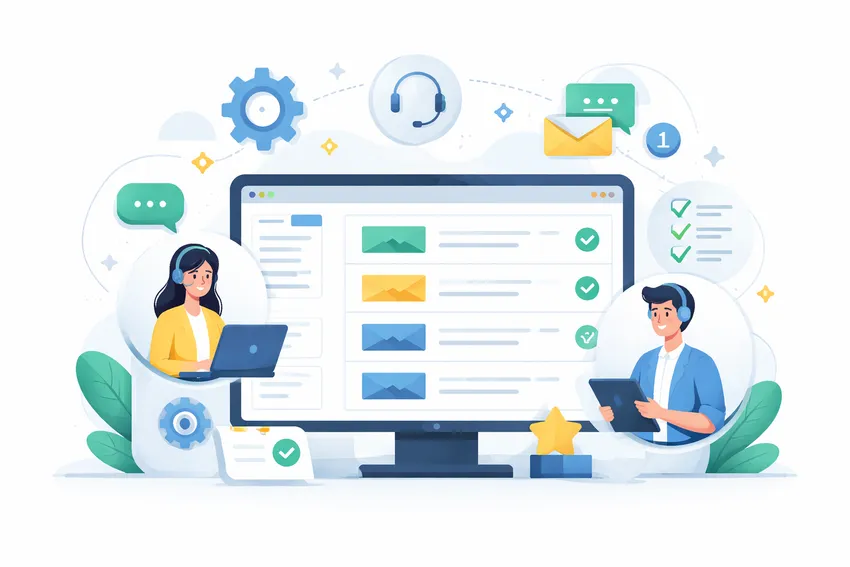
Your support team is drowning. Tickets are coming in from email, WhatsApp, social DMs, and your website chat all at once. Someone’s manually forwarding messages to teammates. Another person just replied to a ticket that was already handled, so now the customer got two contradictory answers. Sound familiar? No, scratch that. You already know this situation. It’s probably why you’re reading this.
The shared inbox worked fine when you had two support reps and 50 customers. But at some point, you crossed a threshold. Volume picked up, channels multiplied, and suddenly your inbox became the main source of chaos instead of the main source of resolution. The fix isn’t hiring more people. Not yet, anyway. The fix is building a real support operation, with the right tools underneath it.
The Real Problem with Shared Inboxes
Most teams graduate to a shared inbox and assume that’s “enough.” And it is, for a while. But a shared inbox is just a bucket. It collects things. It doesn’t organize them, prioritize them, assign them, or track whether they ever got resolved.
Here’s what actually happens when you run support out of a shared inbox at scale:
- Duplicate replies. Two agents open the same thread, neither knows the other is typing.
- Dropped tickets. Something gets read, left unassigned, and forgotten.
- No SLA visibility. You have no idea which tickets are about to breach your response time commitments.
- Context switching. Your team is toggling between email, Slack, WhatsApp, and your CRM constantly. Every toggle costs time.
- Zero data. You can’t report on response times, ticket volume, or agent performance.
These aren’t small inconveniences. They compound. A support operation running on a shared inbox is burning hours every week on coordination overhead that shouldn’t exist.
What a Unified Inbox Actually Changes
The phrase “unified inbox” gets thrown around a lot. Let me tell you what it actually means in practice.
When every channel feeds into one place, your agents stop multitasking across tools and start doing actual support work. They see every conversation from email, WhatsApp, SMS, Facebook Messenger, and web chat in one queue. One interface. One place to act.
That sounds simple. But the downstream effects are significant.
Faster first response times. Agents aren’t hunting. They open the queue and work tickets in order of priority.
No more dropped threads. Every conversation is visible, assigned, and tracked.
Consistent customer experience. A customer who messages you on WhatsApp Monday and emails you Thursday gets treated as one conversation, not two separate strangers.
HelpLane’s omnichannel inbox brings all of this together without requiring you to rebuild your entire support stack. You connect your channels, your agents get one shared view, and you immediately stop losing tickets in the noise.
AI That Actually Does Something Useful
I want to be careful here. The AI hype in customer support right now is absurd. A lot of tools slap “AI-powered” on a feature that’s basically a keyword search with a button. That’s not useful.
What is useful: AI that shows up in the actual workflow of your agents and cuts down the time it takes to respond.
Smart Reply Suggestions
When an agent opens a ticket, they shouldn’t have to start from a blank text field every time. If a customer is asking about a refund and you’ve answered 300 refund questions before, the system should know that. It should surface a suggested reply, pre-filled with relevant context, that the agent can review, edit if needed, and send.
HelpLane does this. The AI reads the conversation and suggests a response based on your previous replies and your knowledge base. Agents aren’t writing from scratch. They’re editing and approving. That’s a fundamentally different workflow, and it’s faster.
Conversation Summaries
A customer has been in a back-and-forth thread for six days with three different agents. A new agent picks it up. Without a summary, they’re reading through the whole thread to catch up. That takes time. It also increases the risk of saying something that contradicts what was already told to the customer.
Conversation summaries fix this. The AI reads the thread and surfaces a condensed version of what’s happened so far. New agent gets up to speed in 30 seconds instead of five minutes.
Self-Service That Deflects Real Volume
This one matters a lot more than most teams realize. A percentage of your incoming tickets are questions your documentation already answers. The customer just didn’t find the answer. So they emailed you instead.
HelpLane’s AI self-service platform puts a smart layer on top of your knowledge base. Customers ask a question, the AI finds the right article or synthesizes an answer, and the ticket never gets created. That’s not a small thing. If you can deflect 20-30% of incoming tickets with self-service, that’s real capacity you’re getting back.
Automation That Runs Your Triage For You
Manual triage is one of the biggest time sinks in support. Someone has to read each ticket, figure out what category it falls into, decide who should handle it, tag it, and assign it. At low volume that’s fine. At high volume it’s a part-time job on its own.
Workflow automation replaces that manual triage with rules that run automatically in the background.
Here’s what that looks like in practice:
- A ticket arrives mentioning “billing error.” It automatically gets tagged as “billing,” assigned to your billing specialist, and flagged as high priority.
- A ticket comes in at 2am. It gets tagged and queued, with an automated acknowledgment sent to the customer.
- A ticket that hasn’t been responded to in 4 hours triggers an SLA alert to the team lead.
- A conversation gets resolved. Three days later, a follow-up message goes out automatically to check in.
None of that requires a human to do the routing. It just happens.
The value compounds quickly. Your team isn’t spending the first 20 minutes of every shift sorting and assigning. They open the queue and the work is already organized for them.
Common Automation Use Cases for SaaS and E-commerce
If you’re running a SaaS product or an e-commerce brand, the patterns are pretty predictable:
SaaS:
- Route bug reports to engineering-facing agents
- Flag churning customers based on keywords like “cancel” or “downgrade” for senior rep handling
- Auto-tag feature requests and route them to a product feedback queue
- Trigger follow-ups after onboarding conversations
E-commerce:
- Auto-tag order status questions and route them to your order team
- Trigger refund workflow tickets based on keyword detection
- Send shipping delay notifications proactively when a tag fires
Good automation isn’t magic. It’s just conditional logic applied consistently. But done right, it means your agents are spending time on the conversations that actually need human judgment.
Managing Multiple Brands Without Losing Your Mind
A lot of companies hit a point where they’re running more than one brand. Maybe you acquired a product. Maybe you launched a second line. Whatever the reason, you now have customers contacting different brand identities, and you need your support team to respond in the right voice, from the right identity, with the right context.
Trying to manage that out of a single shared inbox is a nightmare. You’re manually tracking which brand a customer contacted. Agents have to remember to switch email signatures. Nothing is centralized.
HelpLane’s multi-brand management handles this from one dashboard. Each brand has its own settings, its own inbox configuration, its own response templates, and its own reporting. But your team works from one place. You don’t need separate accounts or separate logins for each brand.
For agencies managing support on behalf of multiple clients, this is especially valuable. One platform. Multiple clients. Centralized reporting across all of them.
Integrations That Don’t Require an Engineer
Your support tool doesn’t live in isolation. It needs to talk to your CRM, your billing system, your project management tool, and probably a handful of other things.
HelpLane connects with tools like HubSpot, Stripe, Jira, and Slack. That means when an agent is looking at a ticket, they can see the customer’s CRM data, their billing status, or any open engineering issues right there in context. They don’t have to open four tabs to get the full picture.
For teams using Shopify or WooCommerce, HelpLane has purpose-built integrations. The Shopify live chat app and WooCommerce live chat plugin pull order data directly into the conversation so agents can handle order questions without leaving the support interface.
That kind of context-in-place saves minutes per ticket. At scale, that’s hours per day.
You can see the full list of what’s available on the integrations page.
How to Know When You’re Actually Ready to Switch
Teams stay on their current tools too long. They know it’s not working, but the switch feels risky. So they keep patching the problem with workarounds.
Here are the signs you’ve genuinely outgrown your current setup:
- Response times are inconsistent. Some tickets get answered in 20 minutes, others sit for two days. Nobody has visibility.
- You can’t report on anything. You don’t know your average first response time, your resolution rate, or which agent is handling the most volume.
- Onboarding new agents takes too long. Because there’s no structure, every new hire has to learn the ad hoc system instead of a real process.
- Customers are repeating themselves. Because conversations aren’t connected across channels.
- Your team is stressed. Not because there’s too much work, but because the work is disorganized.
If three or more of those apply to you, you’re past the point of optimizing your current setup. You need a different foundation.
Making the Switch Without Disrupting Your Team
Switching helpdesks is one of those decisions teams delay because the migration feels daunting. Moving conversation history, retraining agents, setting up new workflows. It’s real work.
But the delay is usually more expensive than the switch. Every week you spend on the wrong tool is a week of slower responses, more dropped tickets, and more agent frustration.
A few things that make a transition manageable:
- Don’t try to migrate everything. Move active conversations and set a cutoff date. Archive the old history but don’t spend weeks importing it.
- Set up automation before go-live. Get your routing rules and tagging logic in place before your team touches the new tool. Don’t ask agents to do triage manually while you figure out automation later.
- Run both systems in parallel for one week. New tickets go to the new system. Old system handles anything in-flight. Transition window stays short.
- Get your knowledge base in order first. If you’re relying on AI-assisted replies, your knowledge base content needs to be current and well-organized. Garbage in, garbage out.
HelpLane’s setup is designed to be quick. Most teams are fully operational within a few days, not weeks.
If you’re coming from another tool, you might want to check the comparison pages to understand exactly what’s different and what you’d be gaining.
Conclusion
If you take nothing else from this, take these three things:
First, your inbox is not a support system. It’s a starting point. At some stage, you need routing, automation, reporting, and real AI assistance to stay on top of volume without burning out your team.
Second, AI in support only works when it’s built into the workflow. Reply suggestions, summaries, and self-service deflection are useful. A chatbot bolted onto your homepage that nobody uses is not.
Third, the cost of waiting is real. Every month on a tool that doesn’t fit is a month of slower responses, more errors, and agents spending time on coordination instead of customers.
HelpLane is built for teams at exactly this stage. You’ve outgrown the shared inbox. You’re not ready to hire three more people. You need a tool that multiplies what your existing team can do.
See how HelpLane’s AI features work, explore workflow automation, or check pricing if you want to run the numbers. If you have questions about whether it’s the right fit, talk to us directly. We’ll give you a straight answer.
Related Blogs
See All Articles
How to Handle High Ticket Volume Without Hiring More Agents
Your ticket queue is growing faster than your team can handle it. Response times are creeping up. Agents are copy-pasting the same answers f

How to Manage Support Emails in Shopify (Without Losing Your Mind)
You opened a Shopify store. Orders started coming in. Then the emails started coming in. First a trickle. Then a flood. And somewhere betwee

Zendesk vs Gorgias vs HelpLane: Which Helpdesk Is Actually Right for You?
You're managing support across email, chat, and social. Tickets are piling up. Your team is copy-pasting between tabs. Someone suggested swi
Start Delivering Great Customer Experiences Today
Set up HelpLane in minutes and start managing all your customer conversations in one place. 14-day free trial—no credit card required.